What Milo does
Quotes, invoices and hours, deliberately simple.
In Milo you create quotes and invoices and track your hours and projects. All in one place, with fewer screens and fewer choices.
Payments
Pay button for iDEAL | Wero
Connect your Mollie account and your invoice gets a pay button, with a QR code on the PDF. iDEAL | Wero, the Dutch bank payment, is on from the start; other methods you enable in Mollie, such as cards, work too. Once your customer pays, the status switches to Paid by itself. Without Mollie, your customer transfers the amount to your IBAN.
More about online paymentsTime tracking
From hours to invoice
Track hours and projects in Milo and turn them into a tidy invoice with one click. Invoiced hours are locked, so you never bill them twice.
More about time trackingQuotes
ProfessionalQuotes that come back signed
Your customer reviews the quote on a secure page and signs with a code sent by email. Approved? One click turns it into an invoice.
More about quotesE-invoicing
Ready for e-invoicing
Your customer gets the invoice as a PDF and as a UBL file, which accounting packages can import. Sending through Peppol will follow.
More about invoicingMade for your working day
More time for
your work.
You run your business. Milo helps with quotes, invoices and payments, leaving more time for the work you enjoy.

Always at hand
Milo works where you work.
At your desk, on the road or between two jobs. It's the same Milo account everywhere.
In your browser
All your data on any computer. If your connection drops for a moment, Milo keeps what you enter and syncs it as soon as you are back online.
About working offline →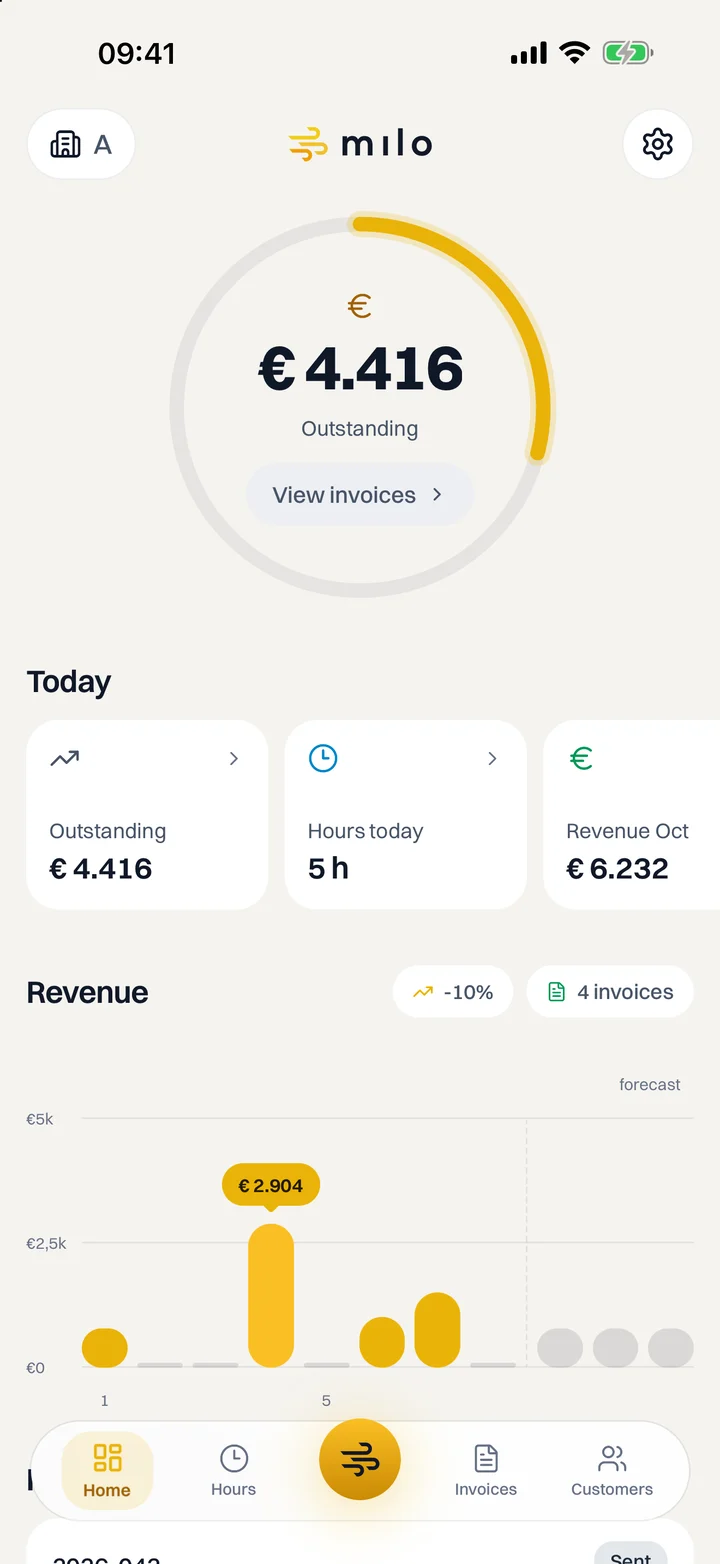
On your phone
See what is outstanding, log your hours and send invoices. The app is free with every plan.
About the app →On your desktop
Clock your hours with Milo Timer from your Mac's menu bar or the Windows system tray, without keeping Milo open.
About Milo Timer →In your chat
Send the Milo assistant a text or voice message on WhatsApp. It gets your draft invoice or your hours ready for you.
Part of Professional.
About the Milo assistant →Milo assistant
Send a message.
Milo writes the invoice.
Type or say what you need, in Milo web or WhatsApp. Milo prepares your draft invoice, logs your hours or tells you what is still outstanding. Nothing is sent until you confirm.
Part of Professional. Try it free for 60 days.
Less admin
The work around your invoices, taken care of.
Milo numbers your invoices, includes the attachments and keeps track of where every invoice stands.
Numbering without gaps
An invoice gets its number only when you send it. A discarded draft leaves no gap in your sequence.
PDF and UBL attached to the email
Your customer gets the invoice as an attachment, with a link to the online version. With Mollie, they can pay right there.
Status always in view
Draft, Pending, Viewed, Overdue or Paid. For every invoice, you can trace each step in the status log.
Recurring invoices
Regular customers or subscriptions? Milo creates and sends the invoice on the schedule you choose.
A reminder before the due date
Three days before the due date your customer gets a reminder, and you get a copy. After that you send one yourself, in bulk if you like.
Business register and VAT number
Look up company details in the Dutch business register (KVK) and check with one click whether a VAT number is valid.
Pricing
Starter or Professional, from €9.99 a month.
Choose the plan that suits you, monthly or yearly. You start with 60 days of Professional for free and decide after that. You can switch or cancel your plan yourself.
- European software, made in the Netherlands
- Your data is stored in Amsterdam, in the EU
- Sign in with a passkey or two-factor authentication
- Bank transfer or, with Mollie, online payment
For one user, with unlimited invoices and quotes
Price excl. VAT
See what's includedFor a team, with recurring invoices and the Milo assistant
Price excl. VAT
See what's includedCreate your first invoice today.
Try Professional free for 60 days, no credit card needed. If you do nothing afterwards, you pay nothing.
Questions? Browse the knowledge base or email us.